
OneLink Platform APIs
The Platform APIs allow you to integrate account, user, and installation-level administration into your existing software stack. In the OneLink fork, these APIs are inherited from the upstream platform model and should be used with the fork’s own account, product, and architecture assumptions in mind.Note: These APIs are intended for self-hosted or installation-admin use cases exposed by the fork.
Creating a Platform App
To create a platform app, follow these steps:-
Go to the super admin portal and navigate to
super_admin/platform_apps.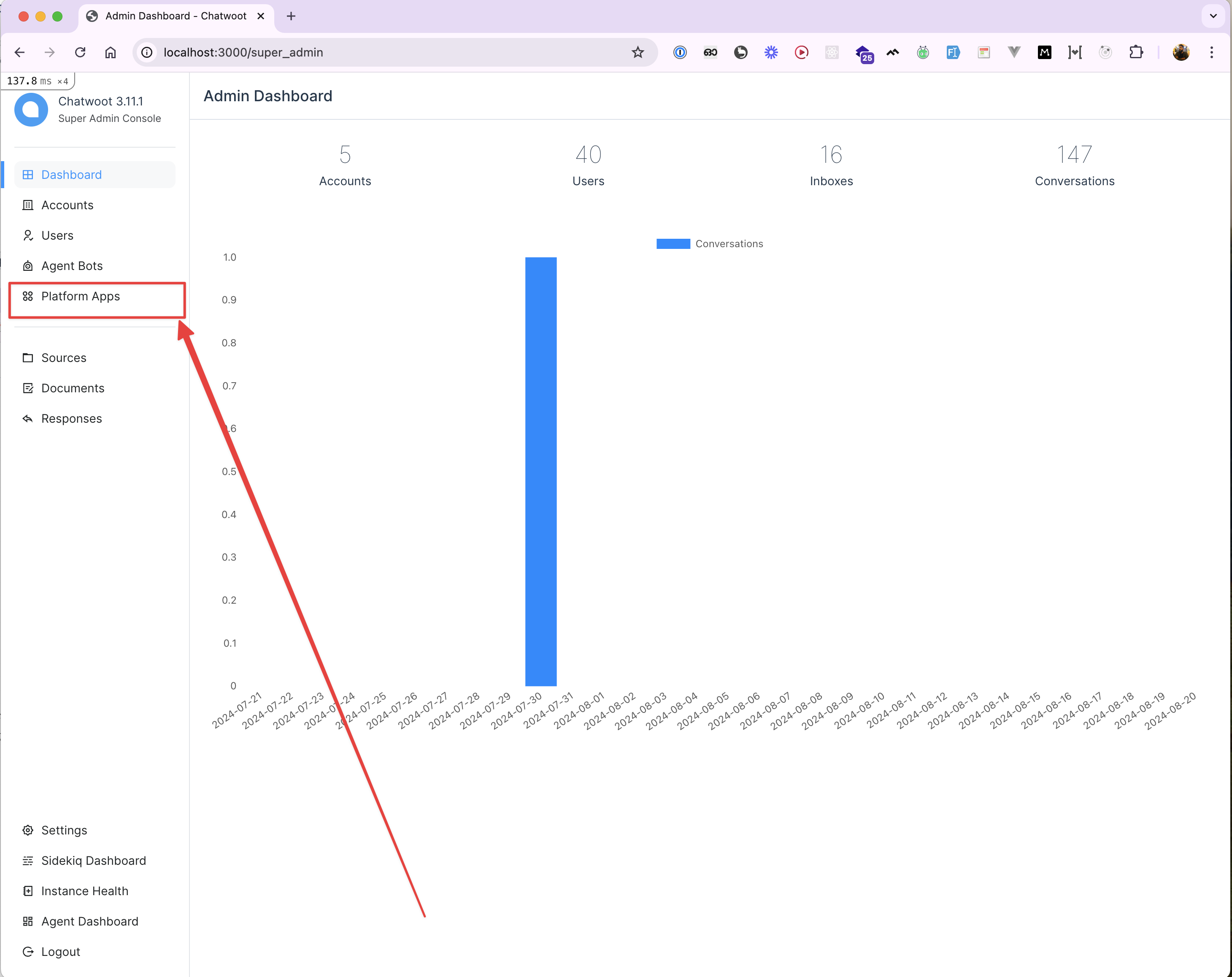
-
Click on the “New platform app” button.
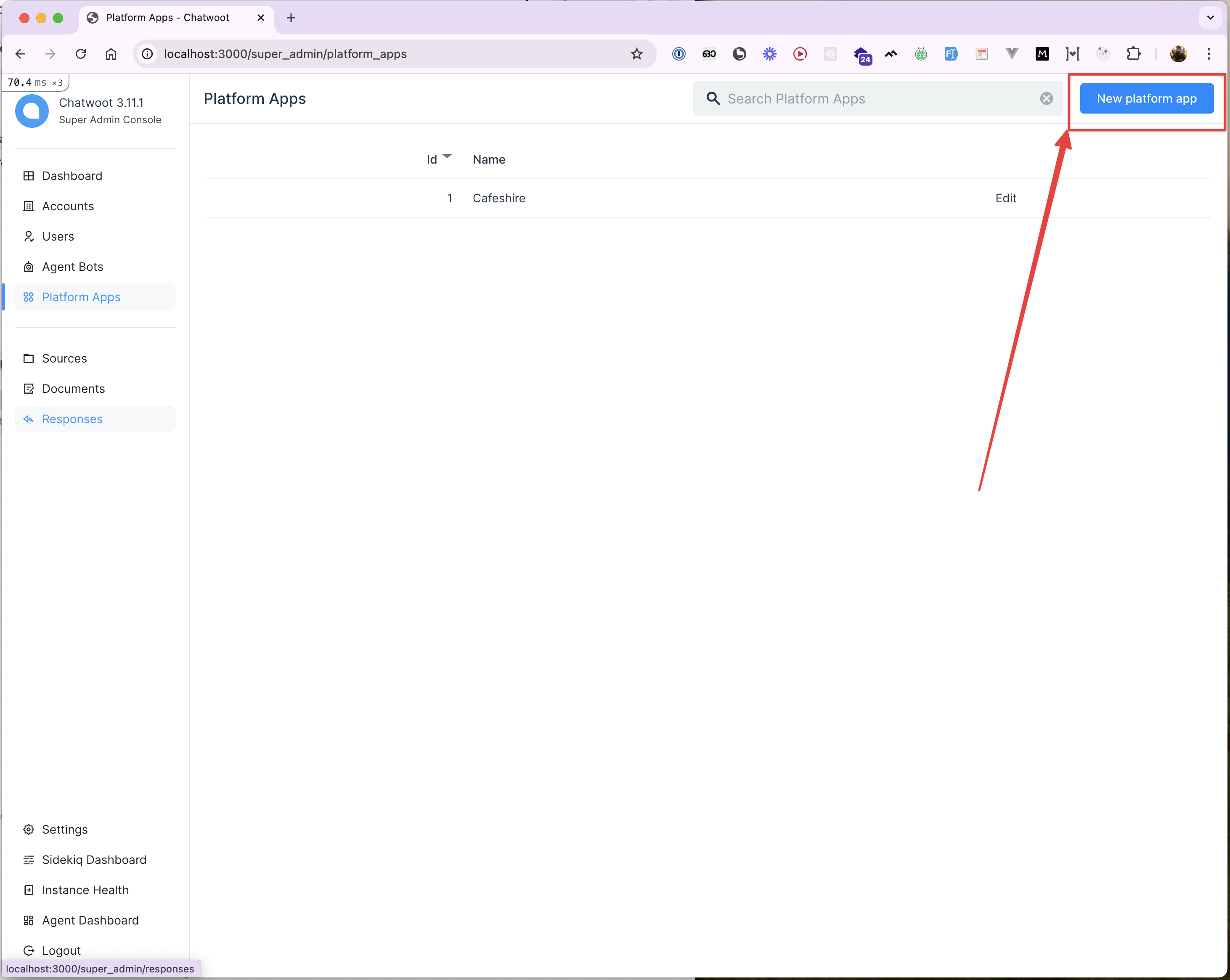
-
Fill in the platform app name and click the “Create” button.
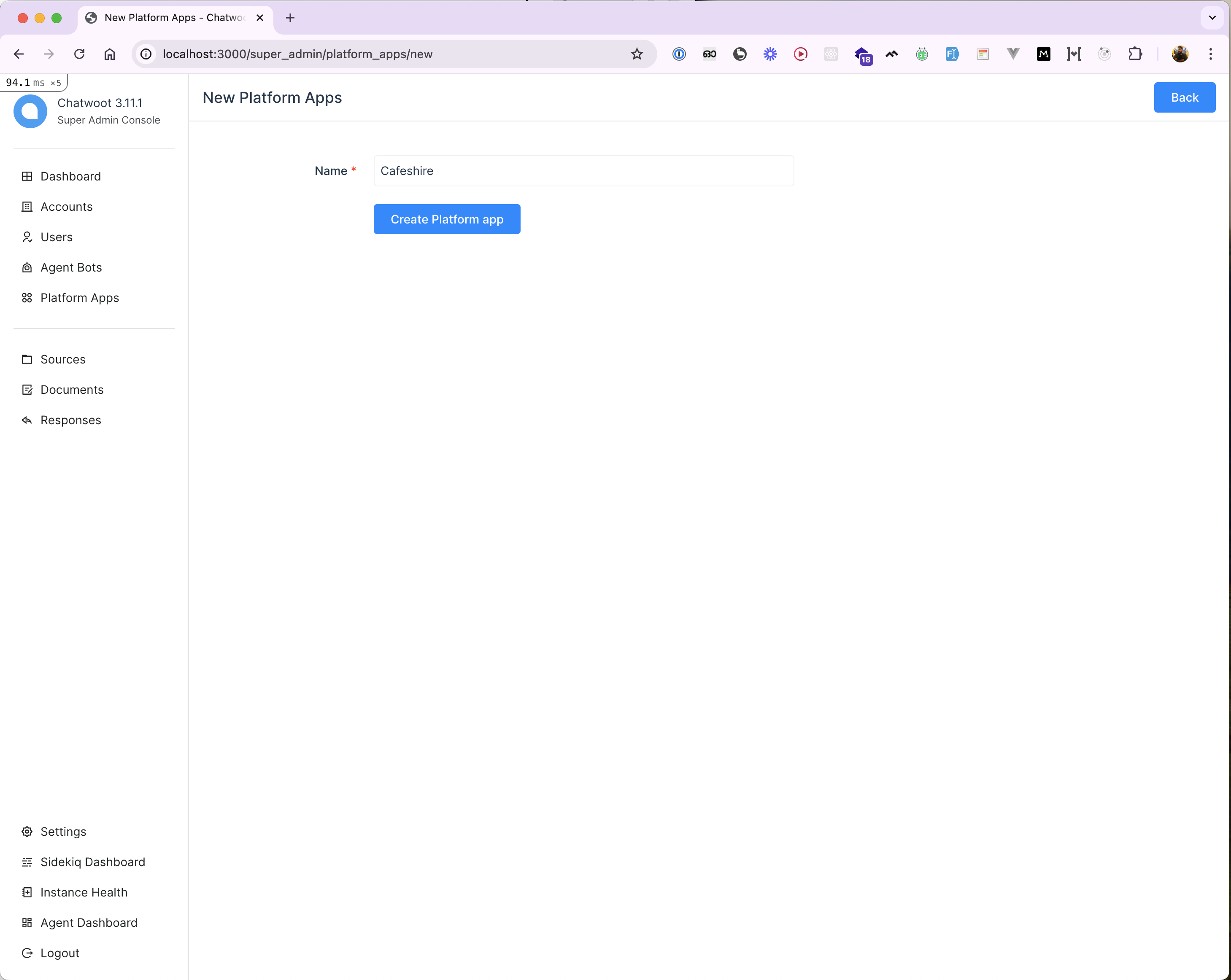
-
After creating the platform app, open it to view and copy the access token.
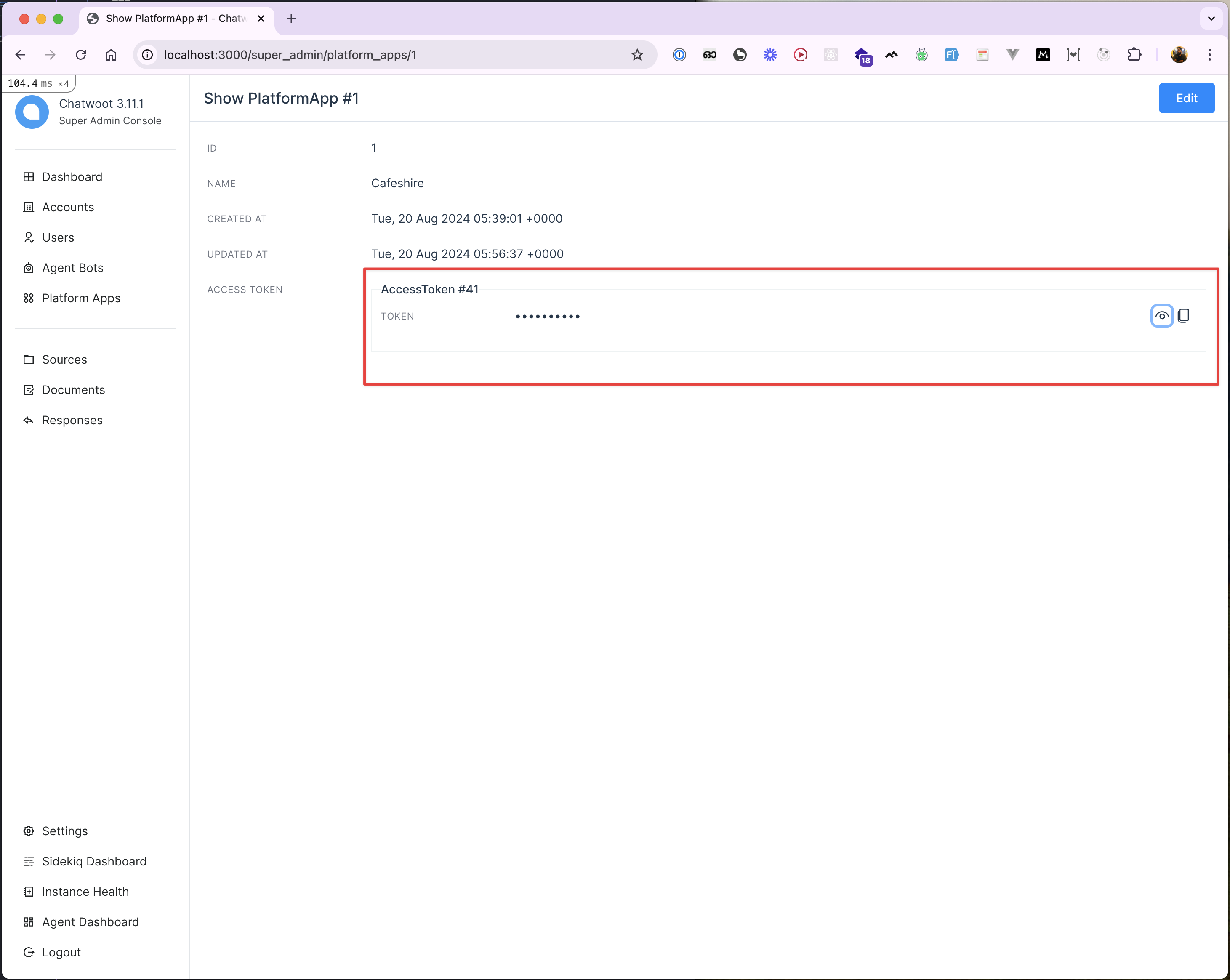
Using the Access Token
Theaccess_token is required to authenticate all API requests. Use the Postman collection and the current product behavior in the fork to validate exact request flows.
Testing the APIs
To test the APIs:- Copy the access token from the platform app.
- Use it in the
Authorizationheader of your API requests.
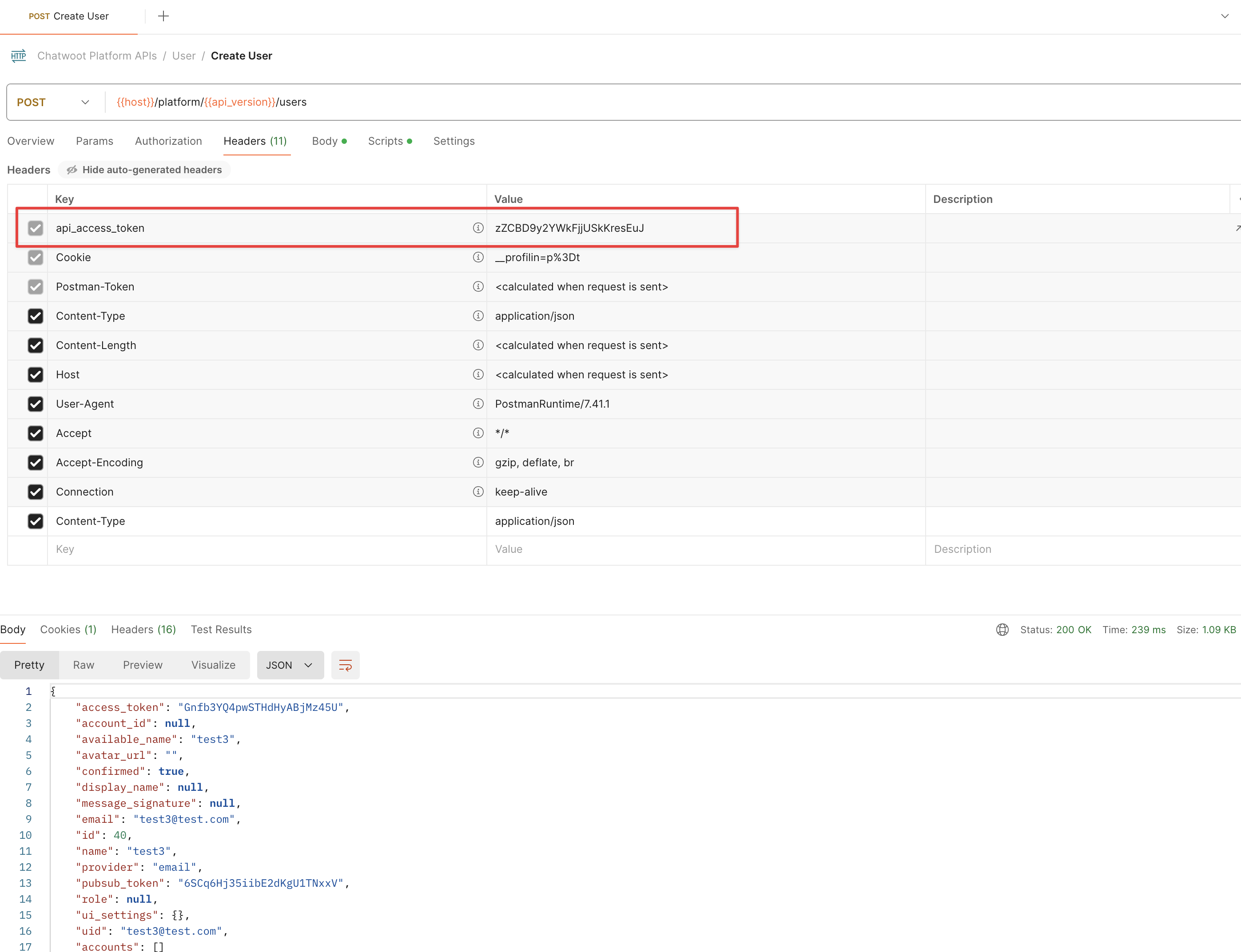 Similarly, you can create
 Account and related administrative entities using the APIs.